Choosing between a standard appliance and a new WiFi-enabled model can be a tough decision for homeowners in Edmonton, Calgary, and Red Deer. While smart appliances offer incredible convenience and control, they also introduce new complexities like software glitches, security risks, and higher repair costs. This guide provides an expert breakdown of the pros and cons to help you determine if this technology is the right fit for your home.
What a Smart Appliance Actually Means
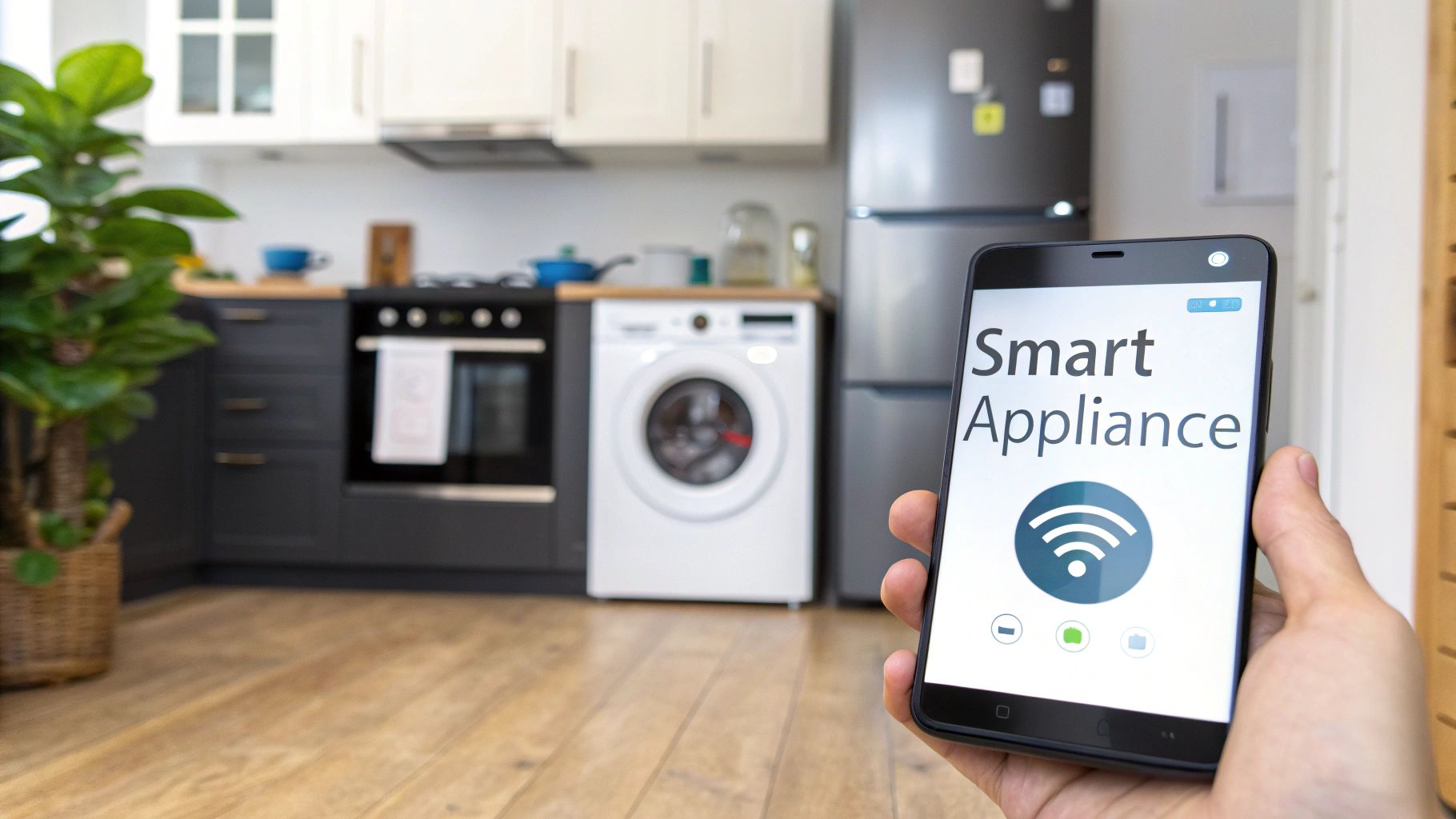
A WiFi-enabled or "smart" appliance is simply a home appliance that connects to your wireless internet network, allowing it to communicate with an app on your smartphone or tablet. This connectivity transforms a standard machine into an interactive device you can monitor and control from anywhere. For homeowners in Edmonton, Calgary, and Red Deer, this means gaining remote access to features that enhance convenience, efficiency, and performance.
Common symptoms or functionalities you’ll notice include:
- Remote Operation: The ability to start, stop, or adjust appliance settings from your phone, such as preheating an oven on your way home.
- Real-Time Notifications: Receiving alerts on your smartphone when a laundry cycle is complete, a filter needs changing, or a fridge door has been left open.
- Enhanced Diagnostics: The appliance can send error codes directly to your app or a technician, helping to pinpoint issues quickly.
- App-Exclusive Features: Accessing special cycles, recipes, or energy-saving modes that are only available through the manufacturer's mobile application.
Common Causes of Smart Appliance Issues Table
The very features that make smart appliances appealing can also be sources of failure. Unlike traditional appliances, these issues span both the physical hardware and the digital software, adding a layer of complexity to troubleshooting.
| Cause | Description | Difficulty | Risk |
|---|---|---|---|
| Weak or Unstable WiFi Signal | The appliance frequently disconnects from the home network, causing smart features to become unresponsive or unavailable. | Low | Low |
| Software or Firmware Glitch | A bug in the appliance's operating system or a failed update causes erratic behaviour, error codes, or complete unresponsiveness. | Medium | Low |
| App-Related Issues | The manufacturer's smartphone app is malfunctioning, preventing communication with the appliance even if the appliance itself is working correctly. | Low | Low |
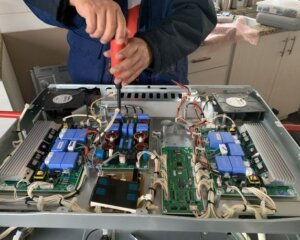
| Control Board Failure | The main electronic board (PCB) that manages WiFi and all smart functions has failed, often mimicking a mechanical problem. | High | Medium |
| Server-Side Outage | The manufacturer's servers are down, temporarily disabling all cloud-based features for all users of that brand. | Low | Low |
| Incorrect Network Configuration | Home router settings, such as a firewall or network security protocol, are blocking the appliance from connecting to the internet. | Medium | Low |
| Component Power Failure | The internal WiFi module or a related sensor is not receiving power, preventing it from connecting to the network. | High | Low |
Safe Homeowner Troubleshooting Steps
Before calling a professional, there are a few safe steps you can take to diagnose a smart appliance issue. These steps focus on resolving common connectivity and software problems without requiring you to open the appliance.
Safety Warning: Do not attempt to open appliance casings or access internal wiring. Working with electrical components is dangerous and can lead to electric shock or further damage.
- Check Your Home WiFi: First, confirm your home internet is working. Use your smartphone or another device to ensure you can connect to your WiFi network and browse the web. If your internet is down, the appliance's smart features will not work.
- Power Cycle the Appliance: Unplug the appliance from the wall outlet (or turn off its dedicated circuit breaker), wait for 5 minutes, and then plug it back in. This "reboot" can resolve temporary software glitches.
- Restart Your Router: Unplug your home's WiFi router from its power source, wait for 60 seconds, and plug it back in. It may take several minutes for your network to come back online. This can fix many network-related connection problems.
- Update the Smartphone App: Go to your phone's app store (Apple App Store or Google Play Store) and check if there is an update available for the appliance manufacturer's app. An outdated app can cause communication errors.
- Check for Manufacturer Service Outages: Visit the appliance manufacturer's website or social media pages. They will often post alerts if their servers are experiencing a widespread outage that affects smart features.
- Review the User Manual: Your appliance's manual often contains a specific troubleshooting section for connectivity issues. It may guide you through re-establishing the WiFi connection.
When to Stop and Call a Professional: If these steps do not resolve the issue, or if the appliance is displaying an error code and is not functioning at all (even manually), it is time to call a certified technician. Continuing to troubleshoot could risk damaging sensitive electronic components.
Smart Appliance Repair Cost Breakdown
Please Call to get exact Rates:
Effective starting in 2026, service call fees are no longer waived. The service call fee covers the technician’s travel time, professional appliance diagnosis, and helps support ongoing operational expenses required to deliver reliable, high-quality service. We remain committed to keeping our fees fair, transparent, and aligned with reasonable repairability standards.
Below are estimated costs for smart appliance repair in Alberta for the current year. These figures can vary based on the appliance brand, model, and the specific failure.
- Estimated Service call / diagnostic: $120–$250 (not waived)
- Estimated Parts: $150–$650 (varies by brand and model)
- Estimated Labor: $150–$260 per hour
- Additional travel or mileage charges may apply
Important Notes:
- GST is not included in these estimates.
- Prices vary by service area, including Edmonton, Calgary, and Red Deer.
- Rates are subject to market and economic changes.
Smart Component Failure Rate & Repair Cost Chart
In a chart comparing smart appliance component failures, gray bars could represent last year's data, while light blue bars show data for the current year. This visualization would likely show a rising trend in the failure rate of electronic control boards (PCBs) and WiFi modules, reflecting the increasing complexity and adoption of this technology. Concurrently, the average repair cost for these smart components, also depicted with light blue bars for the current year, would likely be higher than last year's gray bars, driven by supply chain issues and the specialized nature of these parts. In contrast, the failure rates and repair costs for traditional mechanical parts like motors or pumps would likely remain relatively stable year-over-year.
Repair vs. Replace: Smart Appliance Edition
Deciding whether to repair or replace a faulty smart appliance requires careful consideration of cost, age, and technology.
- The 50% Rule: Our primary recommendation is to replace the appliance if the total estimated repair cost (parts plus labor) exceeds 50% of the cost of a comparable new model. Smart components, especially control boards, can be very expensive and often push repairs past this threshold.
- Appliance Age: Consider the appliance's expected lifespan. A smart refrigerator has a typical lifespan of 10-15 years. If your 12-year-old smart fridge needs a major repair, replacement is almost always the more sensible long-term investment.
- Brand and Technology: Some brands offer better long-term software support than others. If a manufacturer has stopped providing security and feature updates for your model, its "smart" functionality is obsolete. In this case, even a moderately priced repair may not be worthwhile, as you're investing in outdated technology.
Preventive Maintenance for Smart Appliances
Proper care can extend the life of your smart appliances and prevent common issues.
- Maintain a Stable WiFi Network: Ensure your router is centrally located and has a strong signal to prevent connectivity drops.
- Keep Software and Firmware Updated: Regularly check for and install updates through the manufacturer's app to get the latest features and security patches.
- Clean Sensors and Vents: Dust and debris can interfere with sensors. Gently wipe down any visible sensors and keep ventilation areas clear for proper airflow.
- Use a Surge Protector: Protect sensitive electronics from power surges by plugging the appliance into a quality surge protector, especially in areas with frequent storms.
- Follow Mechanical Maintenance: Don't forget the basics. Clean lint filters on dryers, wash dishwasher filters, and clean refrigerator coils regularly.
- Monitor App Notifications: Pay attention to alerts from the app, as they can provide early warnings about maintenance needs or potential problems.
- Isolate on a Guest Network: For enhanced security, connect your smart appliances to your router's guest network to keep them separate from your primary devices like computers and phones.
- Periodically Reboot: Just like a computer, rebooting your appliance and router every few months can help clear out minor software bugs.
- Schedule Annual Professional Inspection: A certified technician can perform diagnostics that check both mechanical and electronic systems, catching potential issues before they become major failures.
Brand-Specific Notes on Smart Appliances
Different brands have unique characteristics regarding their smart technology. Here’s a quick overview for models available to Alberta homeowners.
Amana, Bravos, Cabrio, Caloric, Crosley, Gibson, Goldstar, Kelvinator, Magic Chef, Roper, Tappan, White-Westinghouse:
- Known issues: These brands typically offer fewer smart models or more basic connectivity features. Issues are often related to app simplicity rather than complex hardware failures.
- Parts availability: Mechanical parts are widely available. Smart components may be less common due to a smaller product range.
- Repair difficulty level: Low to Medium.
Bosch, Electrolux, Frigidaire, Frigidaire Gallery, GE, GE Profile, Haier, IKEA, Kenmore, KitchenAid, LG, Maytag, Samsung, Whirlpool:
- Known issues: These are the market leaders. Common issues include WiFi connectivity dropping, app synchronization errors, and occasional firmware update failures. Samsung and LG are known for feature-rich apps but can sometimes have complex diagnostic processes.
- Parts availability: Excellent. Both smart components and mechanical parts are widely available through certified repair services.
- Repair difficulty level: Medium.
Miele, Thermador, Gaggenau:
- Known issues: These premium brands offer robust and stable smart platforms (Home Connect). Issues are rare but can be complex when they occur, often requiring specialized diagnostic tools.
- Parts availability: Good, but parts are premium-priced and may have longer lead times.
- Repair difficulty level: High.
Asko, Beko, Blomberg, Hisense, Insignia, Panasonic, Sharp, Toshiba:
- Known issues: These brands have a growing presence in the smart appliance market. Some may experience "growing pains" with newer apps or less frequent software updates compared to market leaders.
- Parts availability: Moderate. It can sometimes be challenging to source specific smart components quickly.
- Repair difficulty level: Medium.
Café, JennAir, Monogram:
- Known issues: As the luxury lines of GE, Whirlpool, and GE respectively, they share a similar technology backbone but with more advanced features. Issues are similar to their parent brands but can be more complex due to integrated systems.
- Parts availability: Very good, but parts are priced at a premium.
- Repair difficulty level: Medium to High.
Dacor, Fisher & Paykel, Liebherr, Sub-Zero, Thor, Viking, Wolf:
- Known issues: These high-end and specialty brands offer sophisticated smart systems. Failures often relate to integrated sensors or control boards. Repair requires brand-specific expertise.
- Parts availability: Generally available only through authorized dealers and repair services, often at a high cost.
- Repair difficulty level: High.
Alliance Laundry, Danby, Speed Queen:
- Known issues: These brands are known for commercial-grade durability and have been slower to adopt complex smart features. When present, the smart tech is usually focused on diagnostics and cycle monitoring rather than extensive remote control.
- Parts availability: Excellent for mechanical parts; smart components are less common but available.
- Repair difficulty level: Low to Medium.
Frequently Asked Questions (FAQs)
Are smart appliances more expensive to repair?
Yes, they typically are. The electronic control boards and WiFi modules are more expensive than traditional mechanical parts, and the diagnostic process requires specialized expertise, which can increase labor time.
What happens if the manufacturer stops supporting the app?
If a manufacturer discontinues an app or software support, your appliance will likely lose all its "smart" functionality. It will revert to being a standard, non-connected appliance that can only be operated manually.
Is my privacy at risk with a WiFi appliance?
There is a potential risk. Any internet-connected device can be a target for cyber threats. To protect your privacy, use a strong, unique password and connect the appliance to your router's guest network if possible.
Can I use a smart appliance without connecting it to WiFi?
Absolutely. All smart appliances are designed to function as standard, offline machines. You can operate them using their physical controls without ever connecting them to the internet, though you will miss out on the remote features.
Are WiFi appliances reliable?
The mechanical reliability is often on par with standard models from the same brand. The reliability of the "smart" features, however, depends on the stability of your home WiFi, the quality of the manufacturer's app, and their commitment to long-term software updates.
When should I call a technician for a smart appliance issue?
Call a certified technician if you have already tried basic troubleshooting (rebooting the appliance and your router) and the issue persists. If the appliance is unresponsive or showing an error code, professional diagnosis is necessary to avoid causing further damage.
Final Summary
WiFi-enabled appliances offer a new level of convenience and efficiency that can genuinely improve daily life for busy Alberta homeowners. However, these benefits are balanced by higher upfront costs, potential software and connectivity issues, and increased repair complexity. The right choice depends entirely on your lifestyle, budget, and comfort level with technology. For any malfunctions that go beyond a simple network reset, seeking a professional diagnosis from a certified technician is the safest and most effective solution to protect your investment.
Reviewed by certified appliance technicians at Advance Appliance Ltd serving Alberta homeowners.
Book Your Appliance Repair
Call: 587-882-3225
Book Online: https://advanceappliance.ca/scheduler/
Same-day or next-day appointments available. Certified technicians. Warranty on parts and labor.